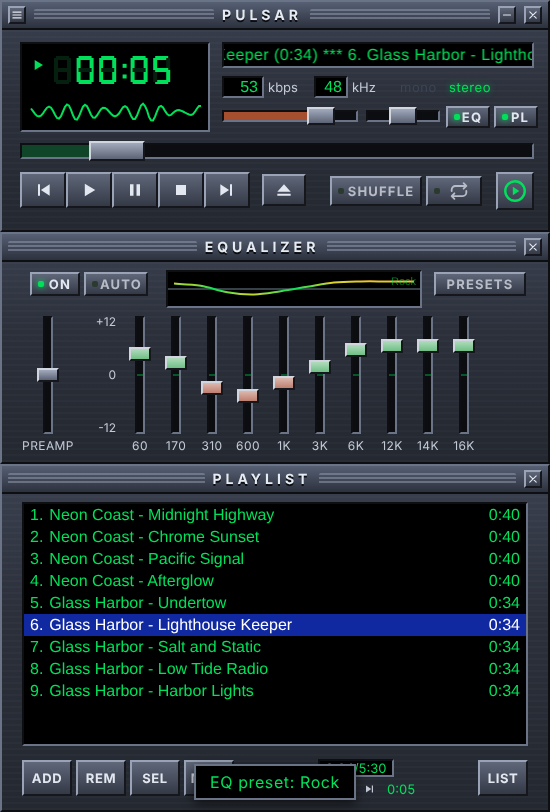
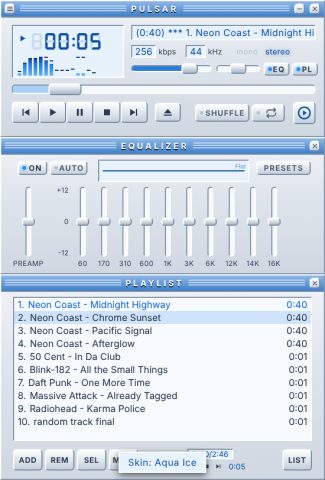
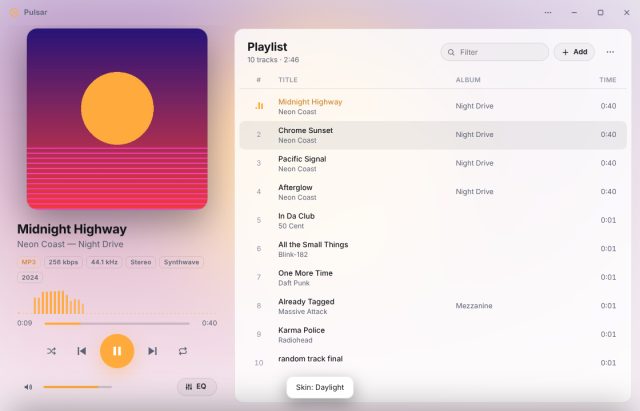
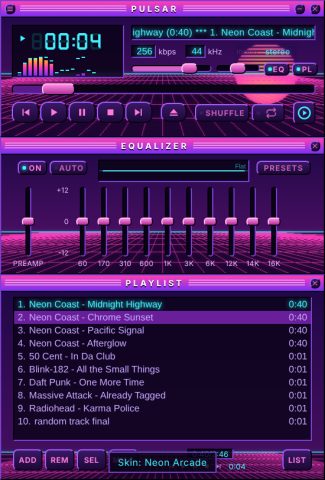
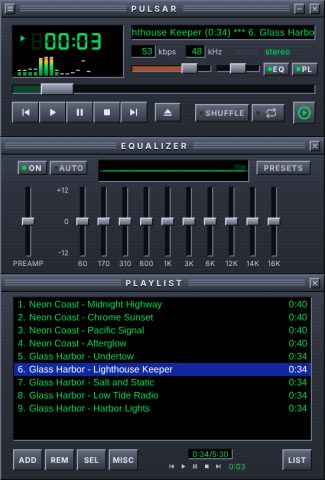
Pulsar is a Windows desktop music player at version 0.2.0. It has a classic-style skin with stacked player, equalizer and playlist panels, a switchable modern theme, and a skin system with a built-in Skin Editor.
Playback
Formats: MP3, FLAC, OGG/Opus, M4A/AAC, WAV and WebM audio.
Gapless playback: the next track is pre-loaded on a second audio deck and starts the moment the current one ends.
Crossfade: off, or 2, 4, 6, 8 or 12 seconds.
Shuffle plays every track once before repeating; repeat is off, whole playlist, or one track.
Pressing Play while playing restarts the song; Previous restarts the song if more than 4 seconds in.
Sleep timer (15–90 minutes, with a fade-out, or at the end of the current track) and Stop after current track.
Remembers the playlist, current track, position and all settings between launches.
Playlist
Add files, folders (with subfolders) or M3U/M3U8/PLS playlists by dialog or drag and drop, including dropping at a position in the list.
Drag to reorder, multi-select with Ctrl and Shift, Play next, Crop, Remove missing files.
Sort by title, artist/album/track, album, file name, path or length; randomize or reverse.
Save playlists as M3U8.
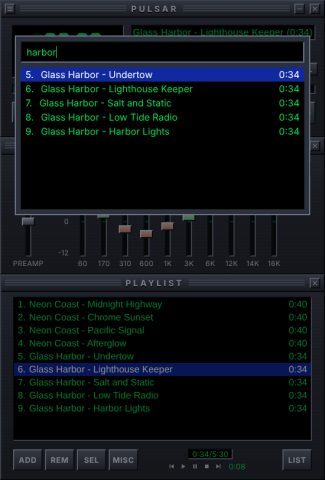
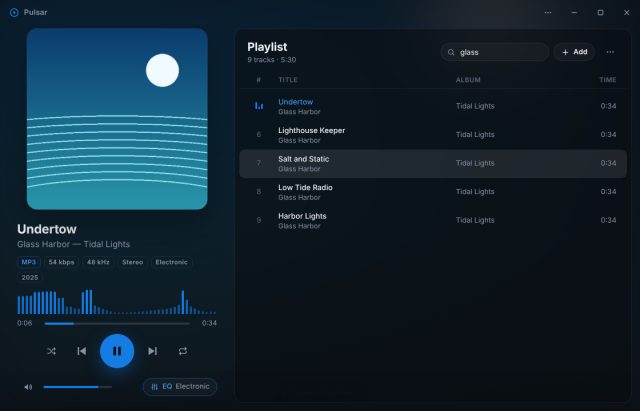
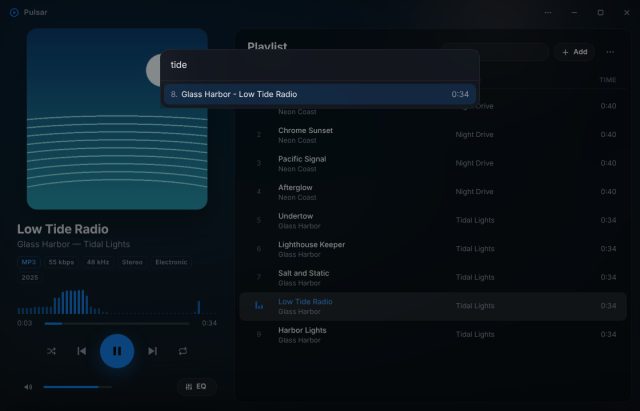
Jump to file (J or Ctrl+F): type to search the whole playlist, Enter plays.
Untagged files get artist and title from the file name, using the TagWise parser.
Track information
Title, artist, album, year, genre and track number from ID3 tags.
Bitrate, sample rate, mono/stereo and duration read directly from the MP3 headers, including variable-bitrate files.
Album art from the file, or from cover.jpg / folder.jpg in the same folder.
Equalizer and visualizers
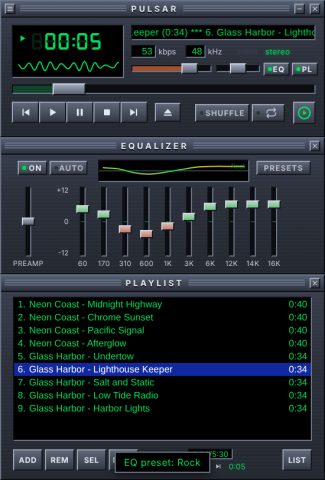
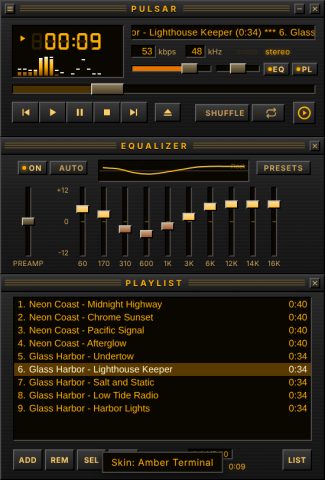
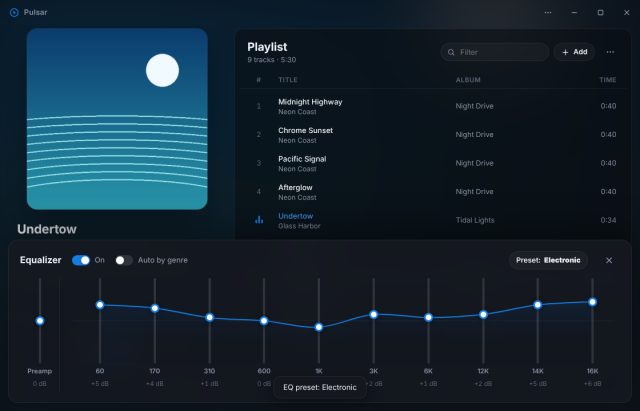
10 bands (60 Hz to 16 kHz) plus preamp, ±12 dB; double-click a slider to reset it.
16 presets, plus Auto, which picks a preset from each track's genre.
Spectrum analyzer with falling peak caps, or an oscilloscope; click to switch.
Balance and volume controls; the mouse wheel over the player changes volume.
Windows integration
Media keys and the Windows media overlay show the title, artist and artwork, and support seeking.
Previous / Play-Pause / Next buttons on the taskbar thumbnail, and play progress on the taskbar icon.
Single instance: opening more files sends them to the running player.
Always on top option.
Classic theme
An original late-90s design: beveled gunmetal panels, a green seven-segment time display, scrolling song title, kbps/kHz and mono/stereo readouts.
Three stacked panels: player (275 × 116), equalizer (275 × 116) and playlist (any height), laid out at 1× and scaled to 1×, 1.5×, 2×, 2.5× or 3× (default 2×).
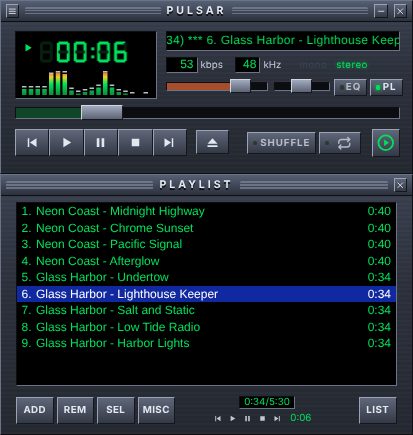
The EQ and playlist can be hidden; dragging the window's bottom edge makes the playlist taller.
Playlist bottom bar: ADD, REM, SEL, MISC and LIST menus, selected/total time, mini transport.
Classic keys: Z previous, X play, C pause, V stop, B next.
Classic theme inspired by Winamp
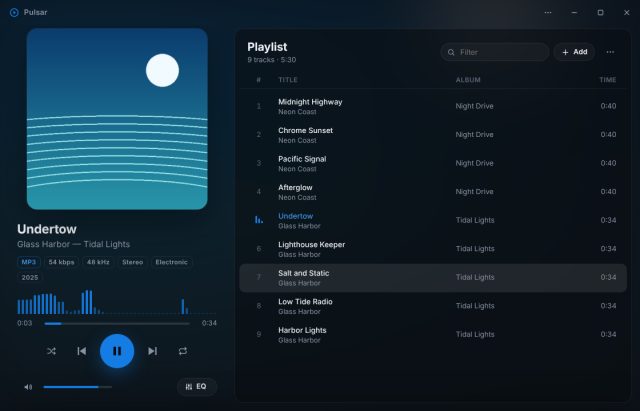
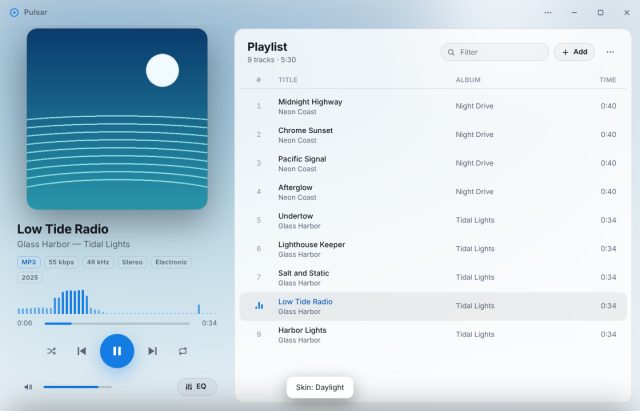
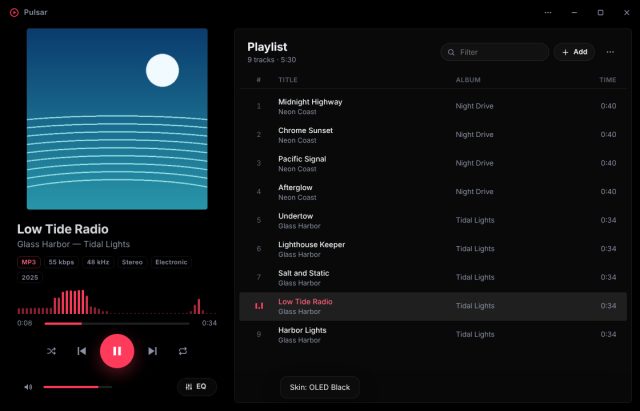
Large album art with a blurred backdrop and an accent color picked from the cover.
Format chips (MP3 · 256 kbps · 44.1 kHz · Stereo · genre · year), a wide visualizer and a big play button.
A searchable playlist with title/artist, album and length columns and an animated now-playing marker.
A slide-up EQ drawer with a live response curve.
Resizable and maximizable, with its own title bar.
Skin system
A skin is a .pulsarskin file: a zip with skin.json (name, author, theme, values), optional images and fonts, and an optional skin.css.
Classic skins can set 49 values across the LCD, panels, title bars, buttons, sliders, playlist, visualizer, fonts and background images. Modern skins can set 21, covering colors, accent, backdrop or wallpaper, rounding and fonts.
Install by dragging a skin onto Pulsar, double-clicking it, or Skins ▸ Install skin…. Each theme remembers its own skin.
The Skins menu lists built-in skins and "Your skins", plus Skin editor, Export, Open skins folder, Reload and Delete.
Safety: skins can't run scripts or load anything from the web. Install only extracts images, fonts, CSS and JSON, refuses paths that escape the skin folder, caps size at 40 MB and drops invalid values.
Skin Editor
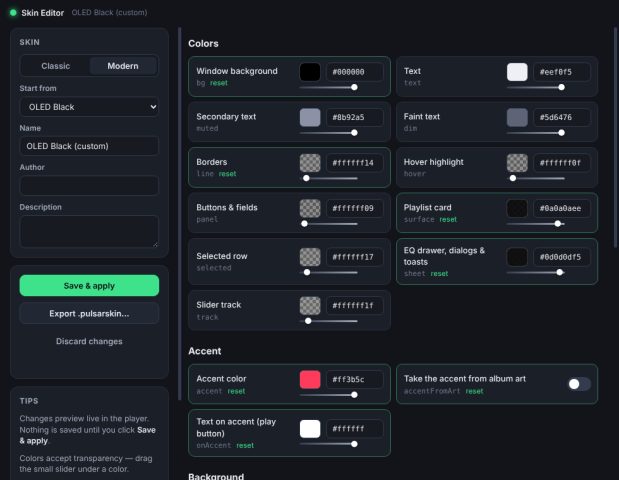
A separate window with color pickers (including transparency), font choice, image and font-file slots, and a Custom CSS box.
Every change previews live in the player; Save & apply writes it to your skins, Export creates a .pulsarskin to share.
Start from any skin or a blank default; editing a built-in skin saves a copy.
Pulsar is a Windows desktop music player at version 0.2.0. It has a classic-style skin with stacked player, equalizer and playlist panels, a switchable modern theme, and a skin system with a built-in Skin Editor.